GUIDE · PLAYER

Player guide

How to use Mah Tables in your club: confirm your seat, sign up as hostess, follow the scoreboard and your card.

The welcome window the first time you enter your club
1

Join your club

Download Mah Tables from the App Store (your admin's invite message has the link), tap Join a club, sign in with Apple, Google or your email (you get an 8-digit code, no passwords) and type the code she sent you.

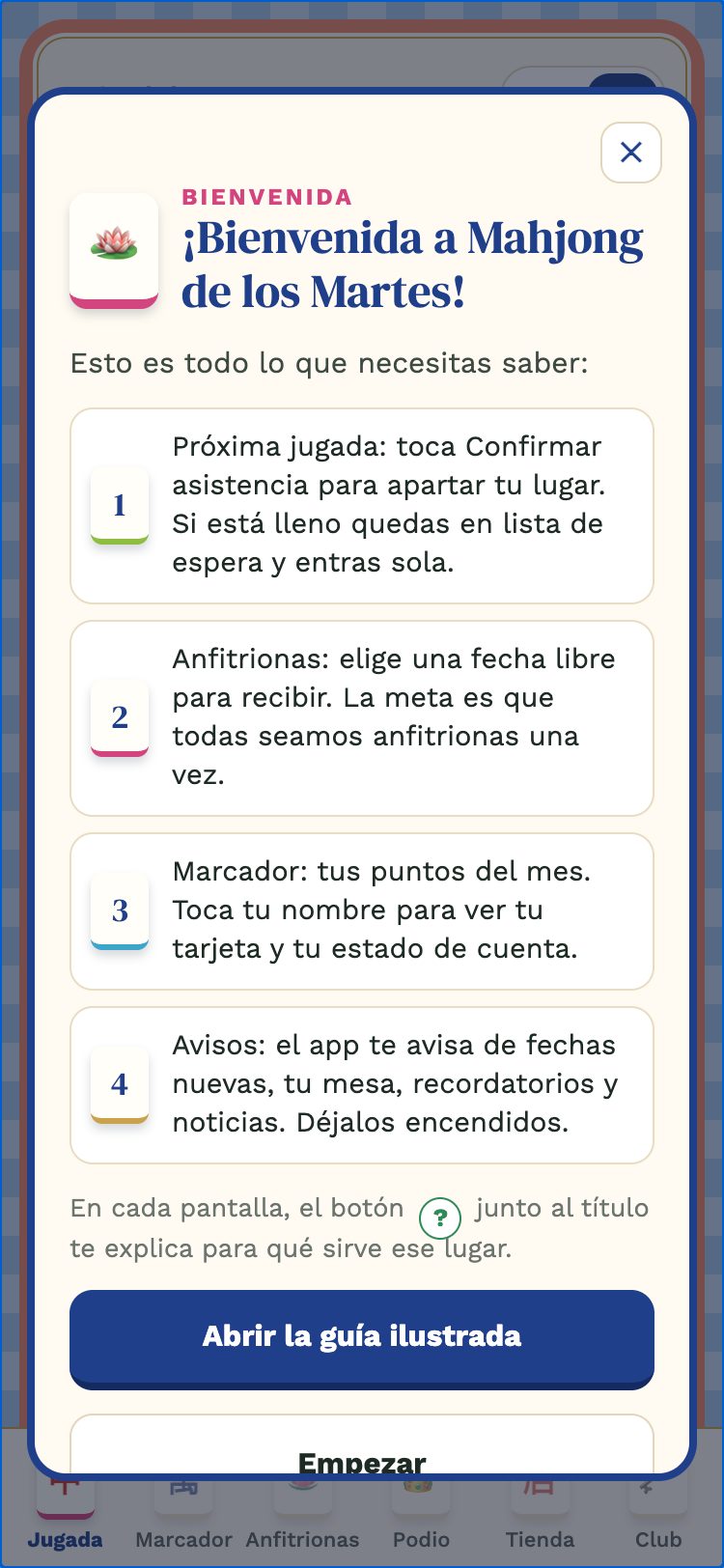
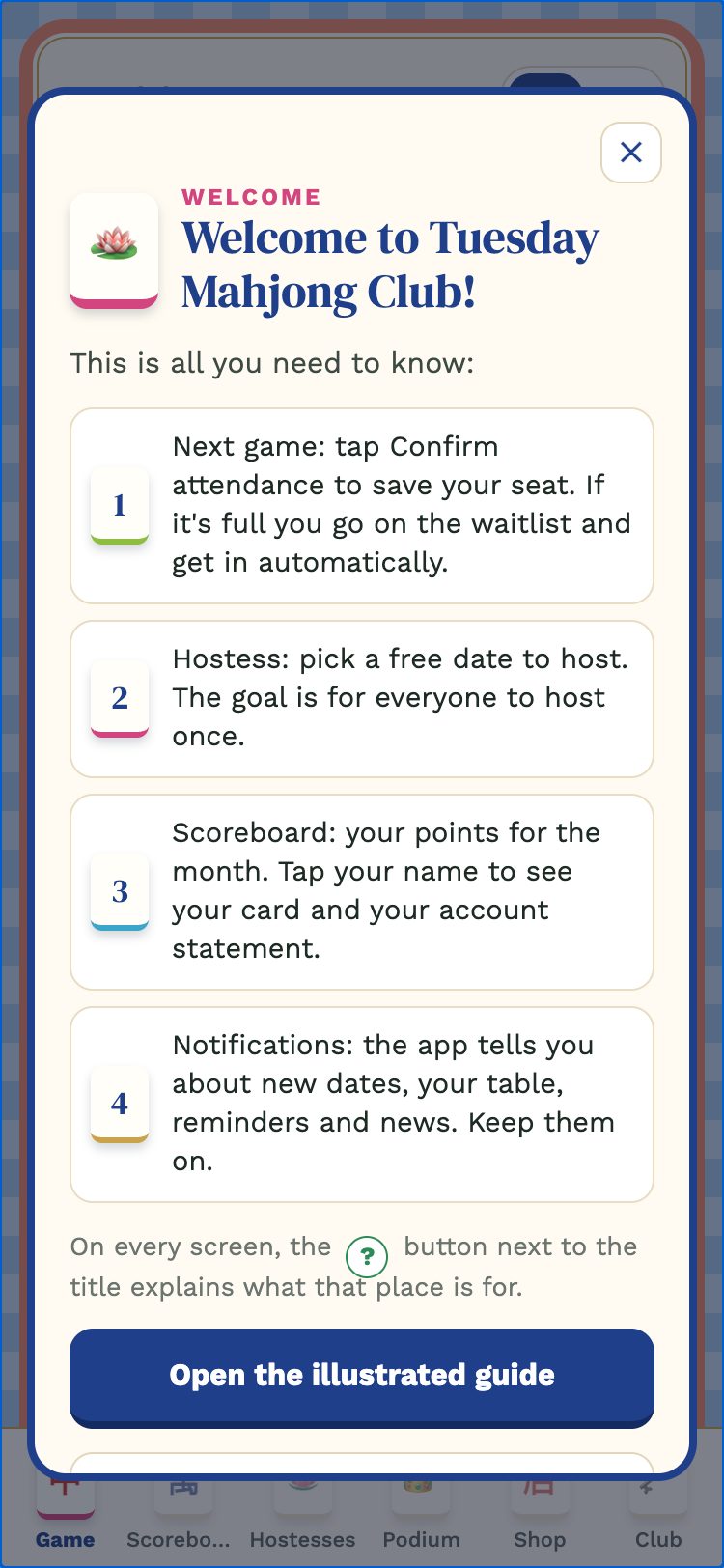
Then the app asks Who are you?: pick your name from the list, just once. Names are first name or nickname plus last name, so nobody gets mixed up. If you're not there, tap "I'm not on the list" and add yourself. A welcome window shows the four things you need to know.
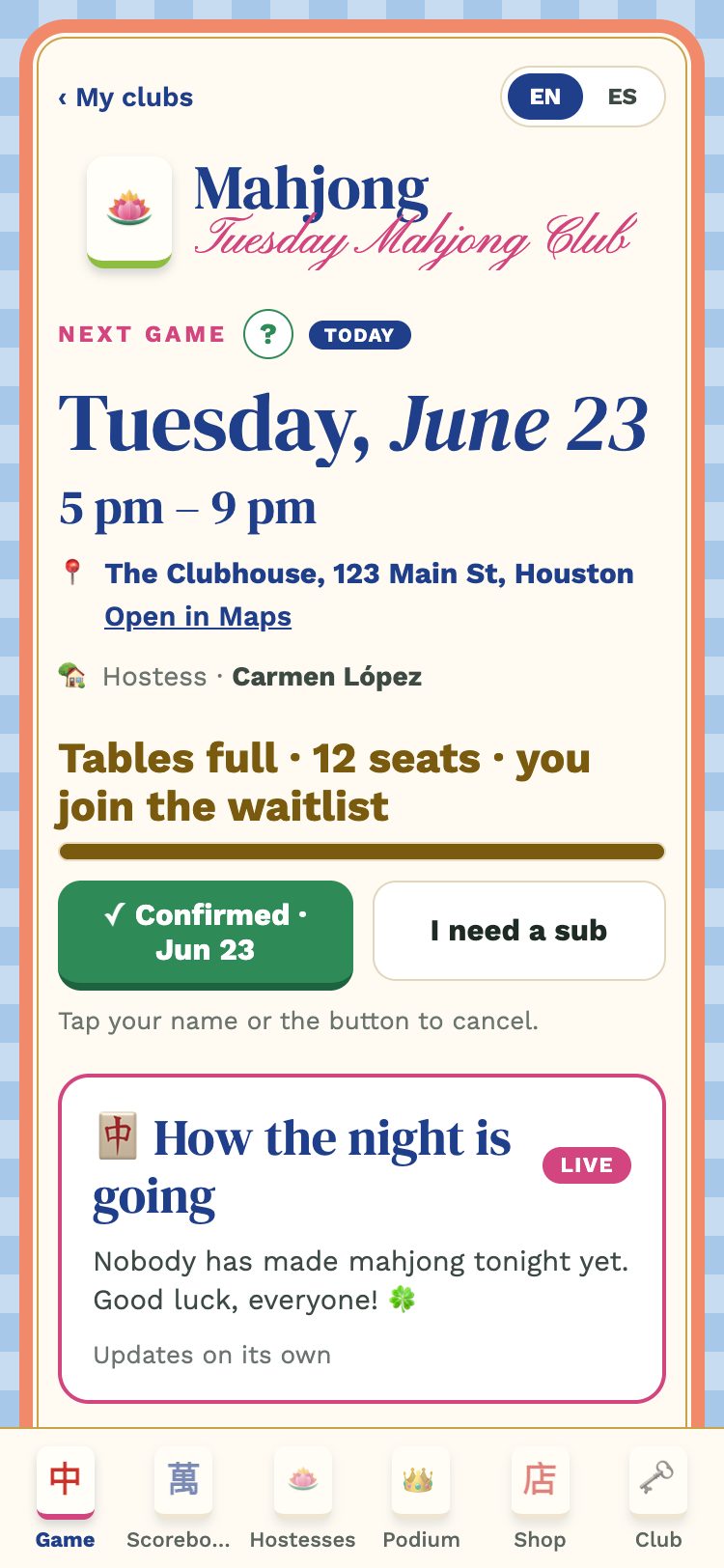
Next game: hostess, venue and your confirmation
2

Next game

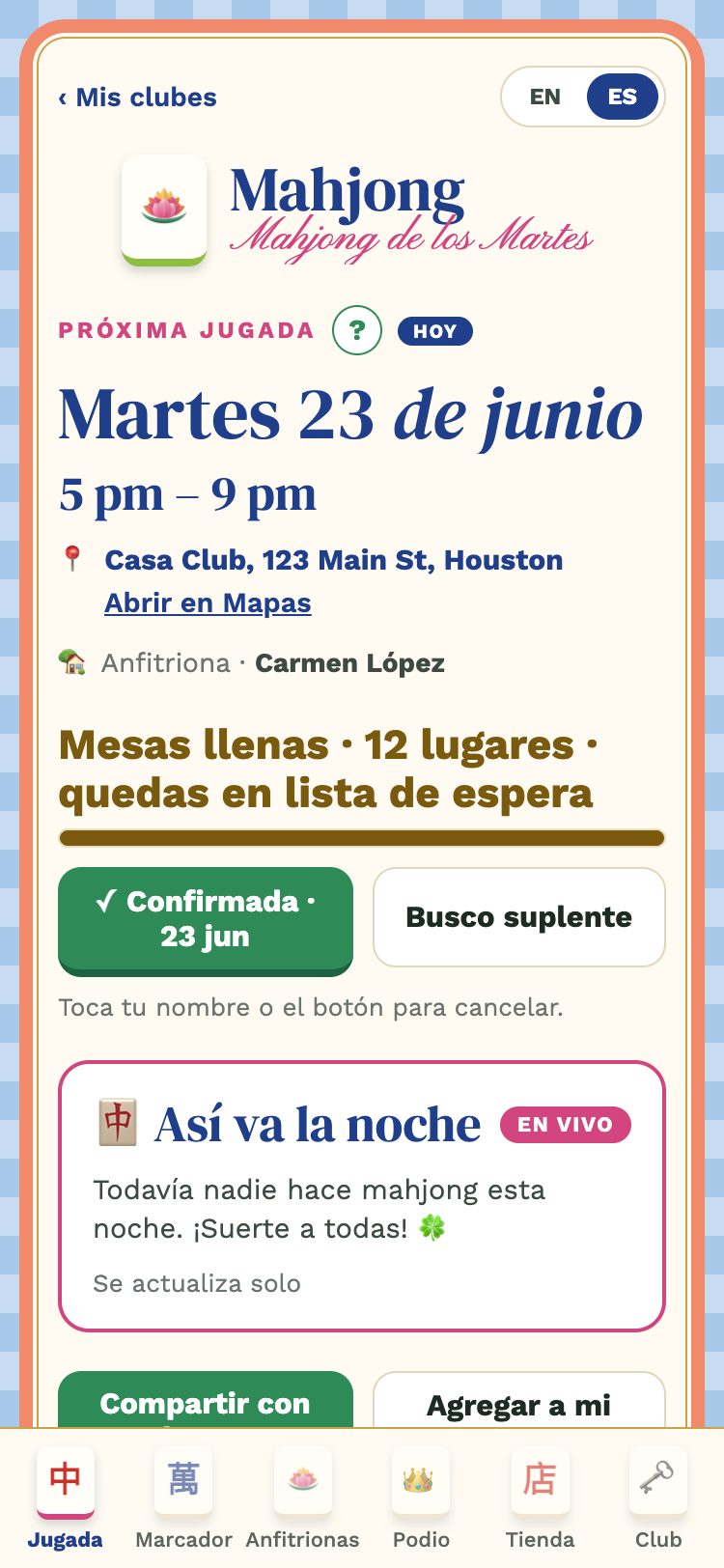
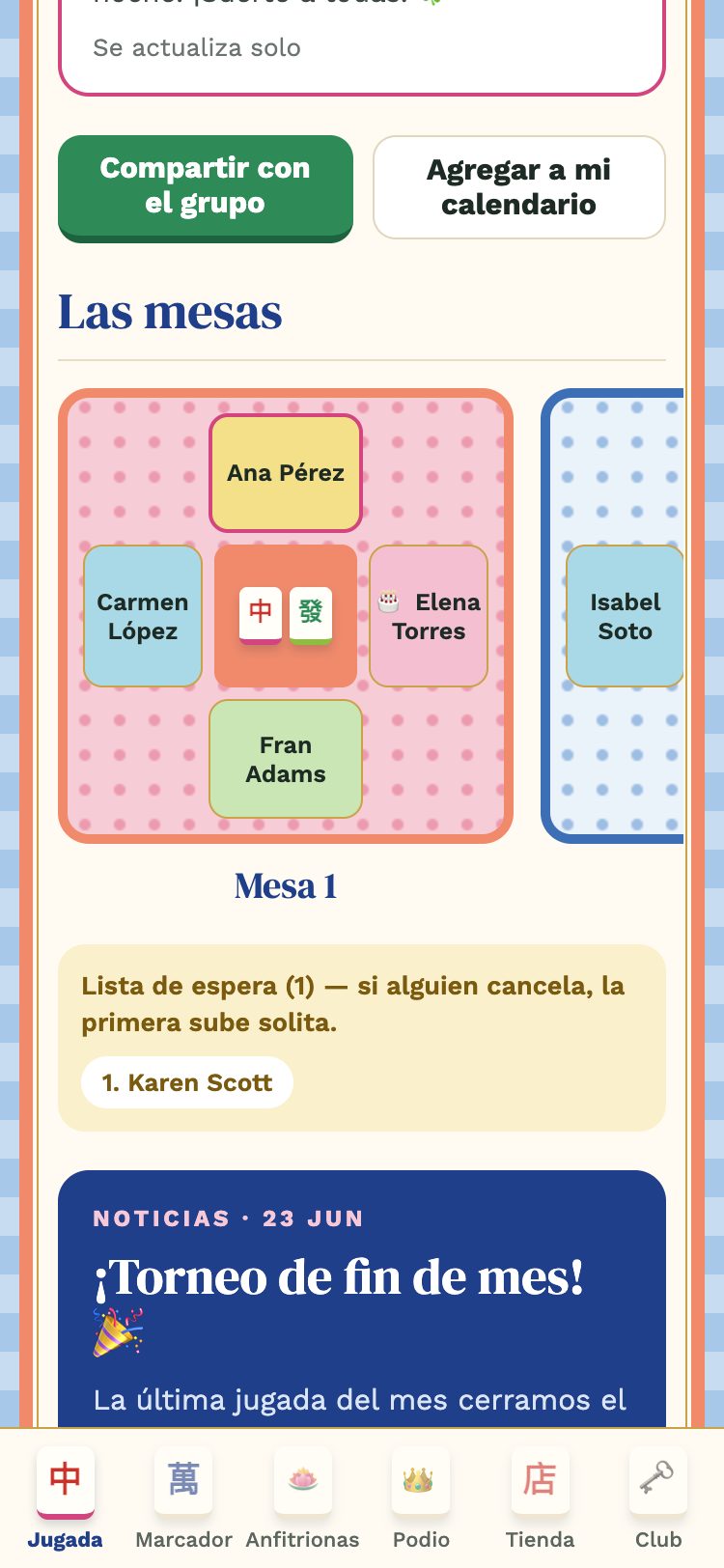
The first tab, Game, is the next date: the hours, who the hostess is, where you play (with Open in Maps) and How the night is going, live.

  • Answer the question Are you coming…? with Confirm attendance: it saves your seat at a table. If it's full you go on the waitlist and get in automatically when someone cancels (you get a notice).
  • I can't this time if you're not coming, so the admin knows you answered. I need a sub if you confirmed and then can't make it.
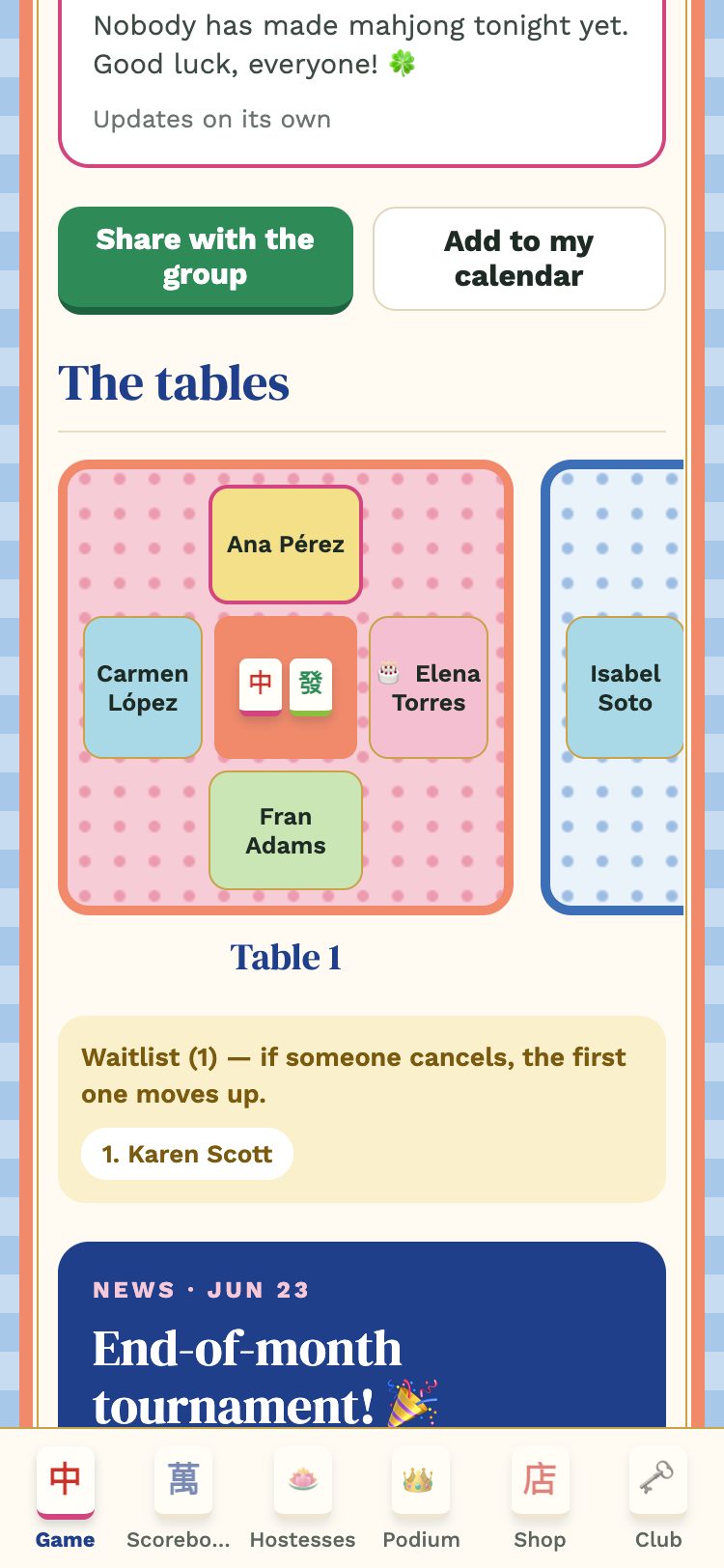
  • Add to my calendar puts the game in your phone's calendar.
  • Share with the group opens your phone's share sheet (Messages, WhatsApp, email…) with the summary ready.
Tap your name at the table (or the green button) to cancel your confirmation.
The tables, the waitlist and the club news
3

Tables, news and birthdays

Further down on the same screen: the tables of the night with your seat, the waitlist, the club news, this month's birthdays and, if you owe a fee, a How to pay box with the admin's instructions.

Two cards help you get started: First time here? explains your club's rules in a few steps, and Practice between games has ways to practice alone, with two or with three.

Hostess list by month
4

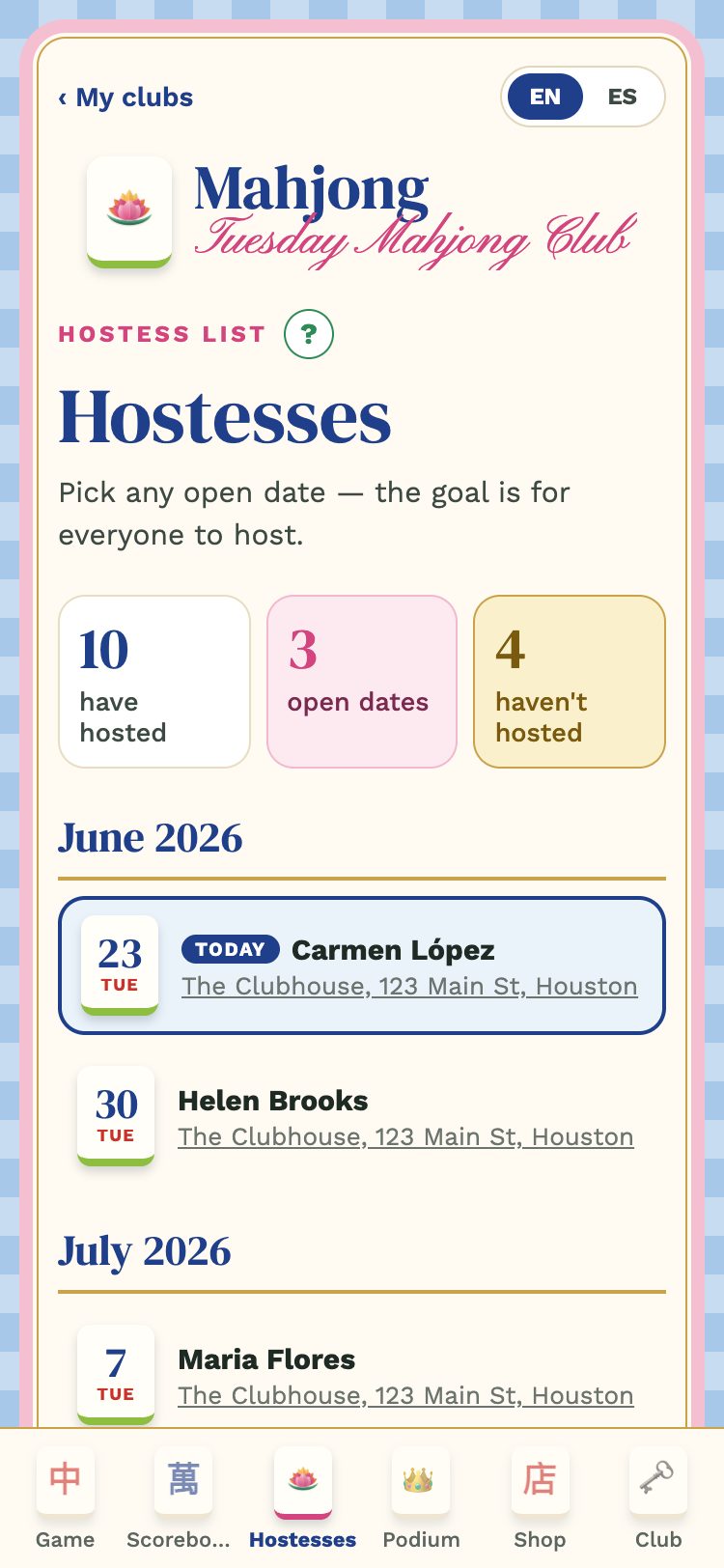
Hostesses

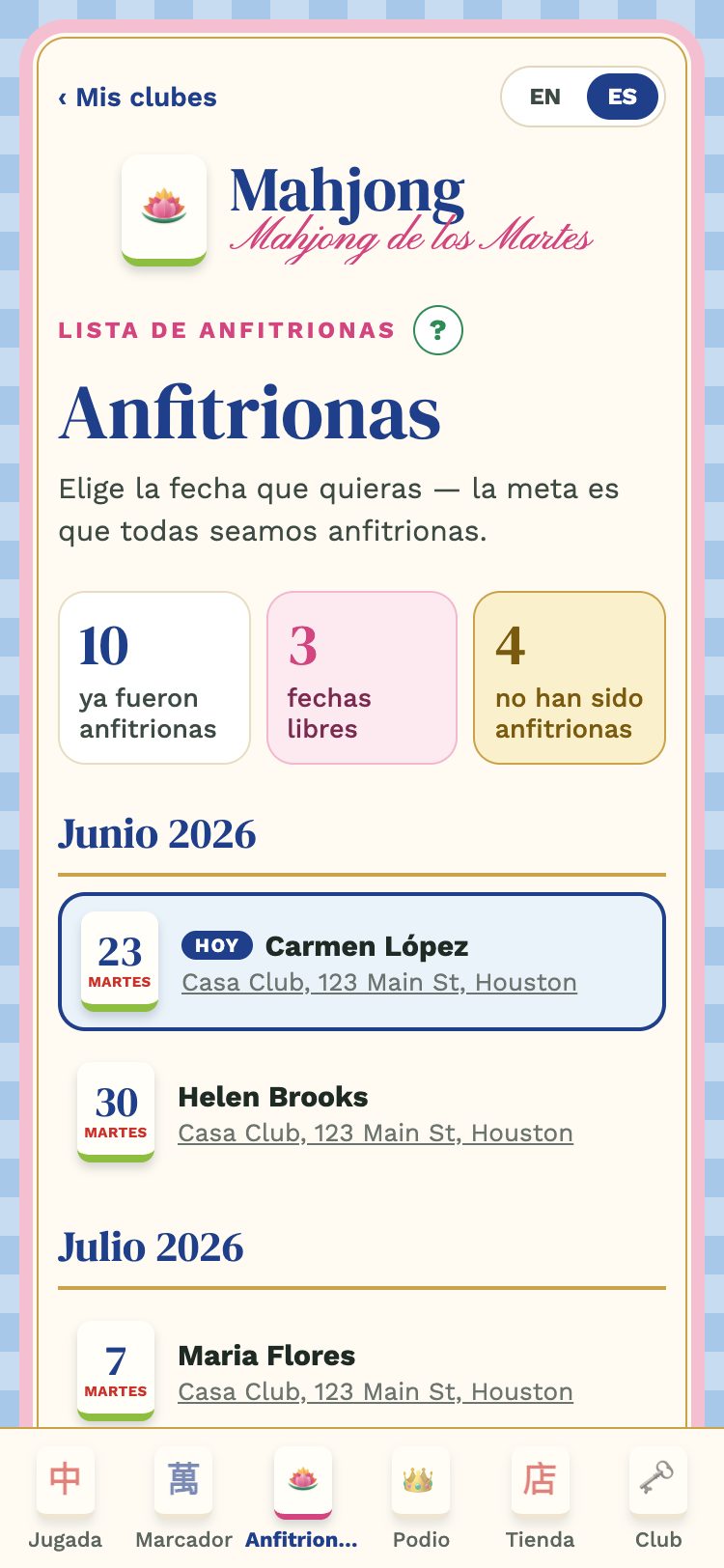
Every game needs a hostess: who receives that night. In the Hostesses tab tap I'll take it on an open date. If you can't anymore, release the date so someone else can take it. At the top you see how many have hosted, the open dates and who hasn't hosted yet.

The goal is for everyone to host once. In some clubs, whoever has never signed up doesn't compete for the monthly prize.

Monthly scoreboard with the podium of the month
5

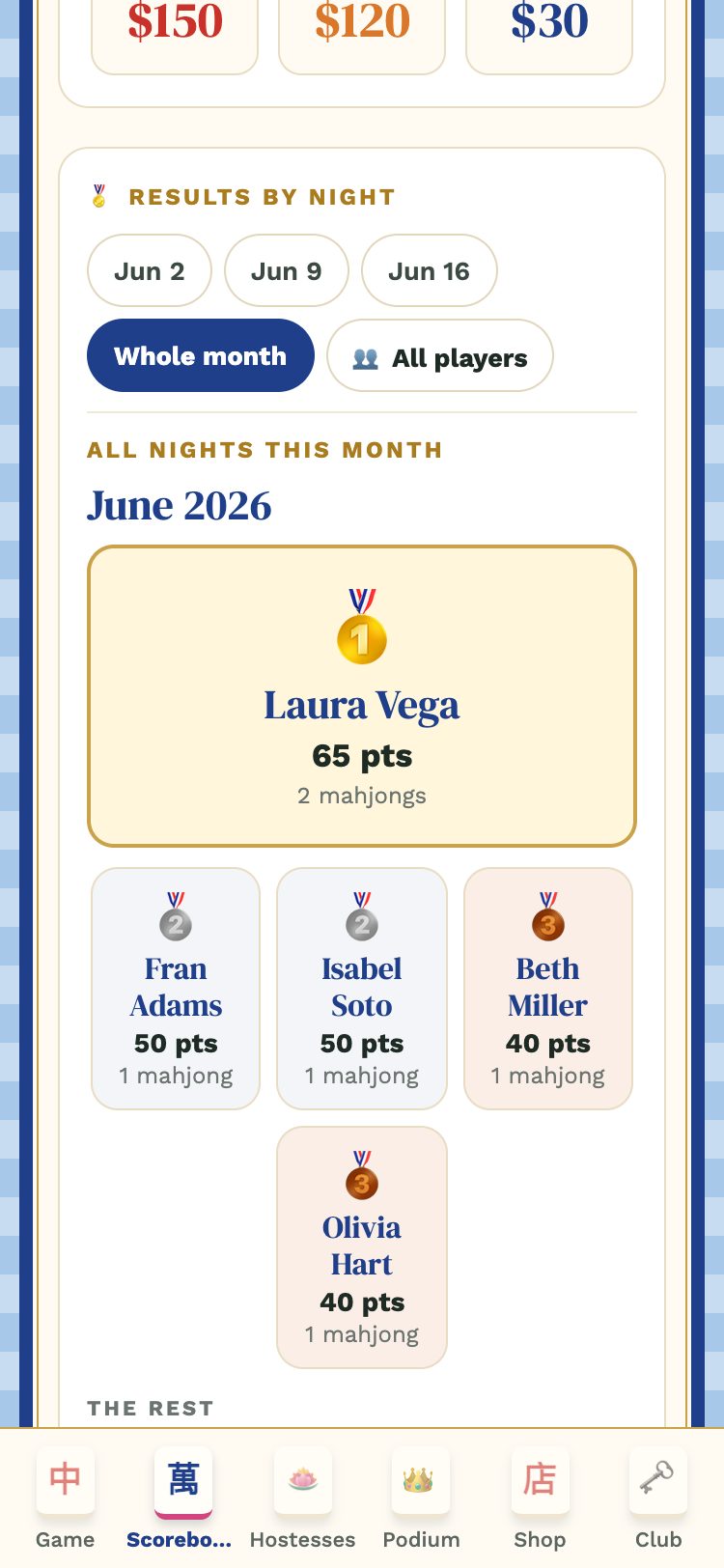
Scoreboard

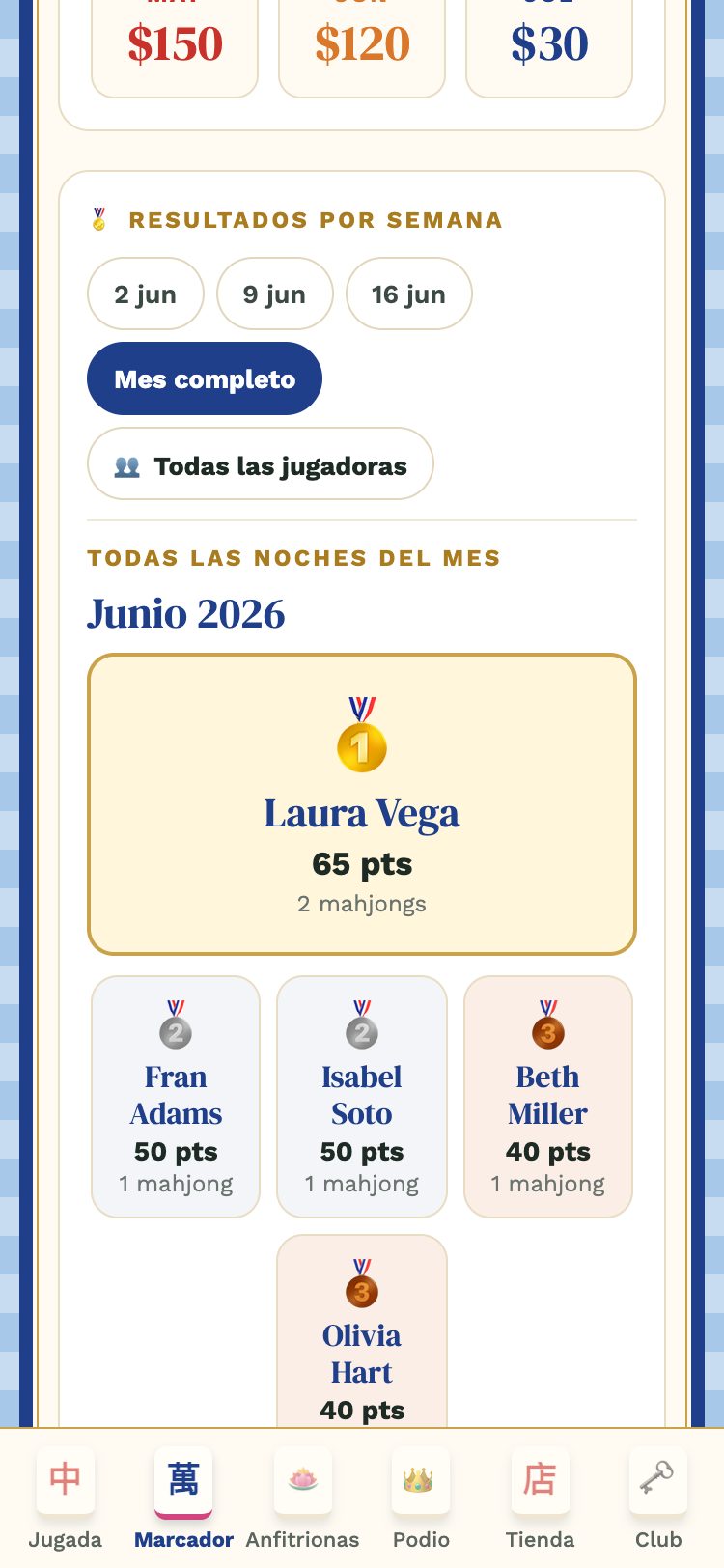
The Scoreboard shows each player's points for the month; whoever collects the most wins and wears the crown 👑. The gift fund shows what has been collected from the fees (tap a month to see who has paid): it pays for the little gifts during the month and the end-of-month prize.

Tap a night to see that night's results, Whole month for the podium so far, or All players for the full list. Below, the club poll and the prize of the month. With Share as image you send the scoreboard to your group.

In the podium, ties share the place: if two players have the same points they get the same medal, and the next place is not skipped.

Your card
Your card
6

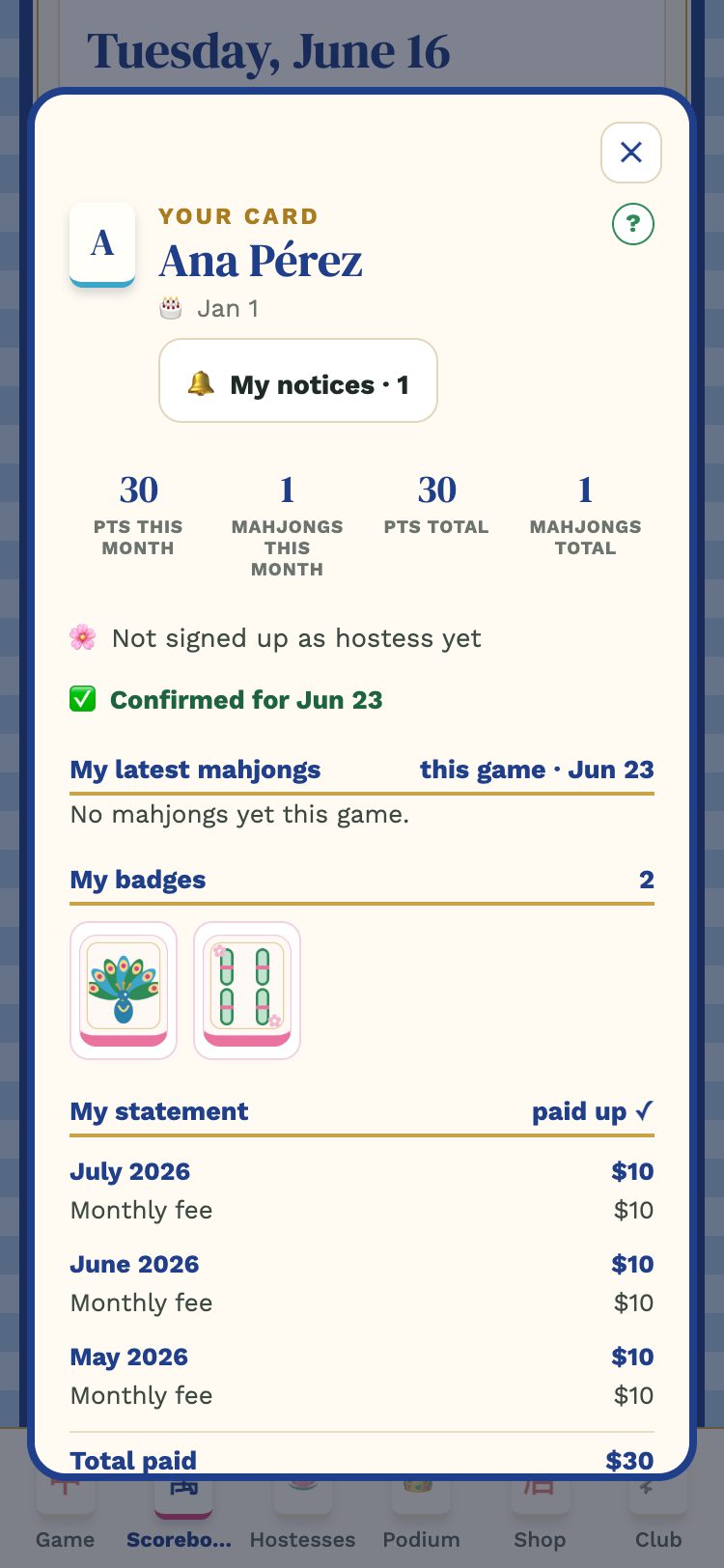
Your card

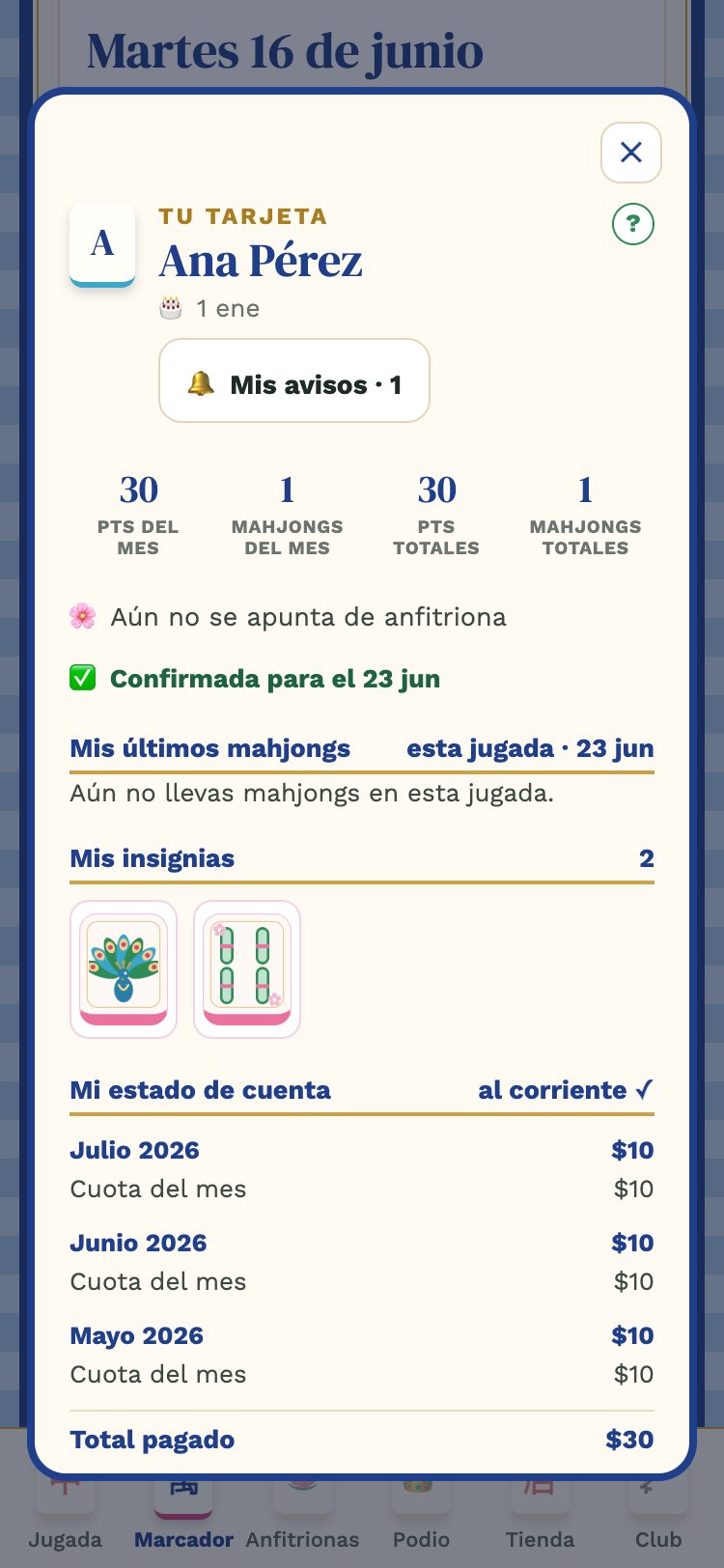
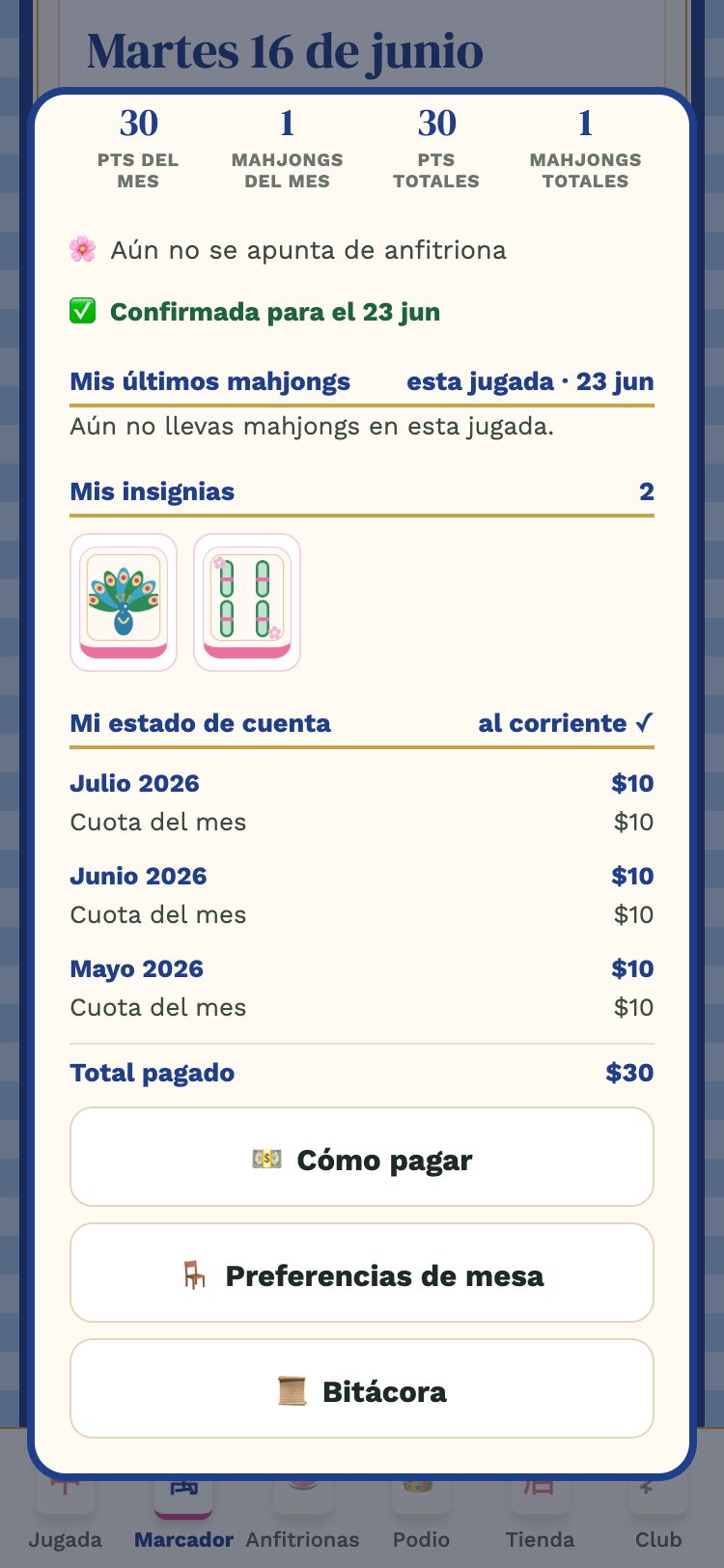
Tap your name (in All players or at the tables) to open your card. At the top is My notices (the ones you have received from the club); then your points and mahjongs of the month and in total, your hostess dates and your status for the next game. Further down: My latest mahjongs (the ones you have made in the current game), My badges and My statement, month by month. To close the card, tap the ✕ in its corner.

The three buttons at the bottom of your card
7

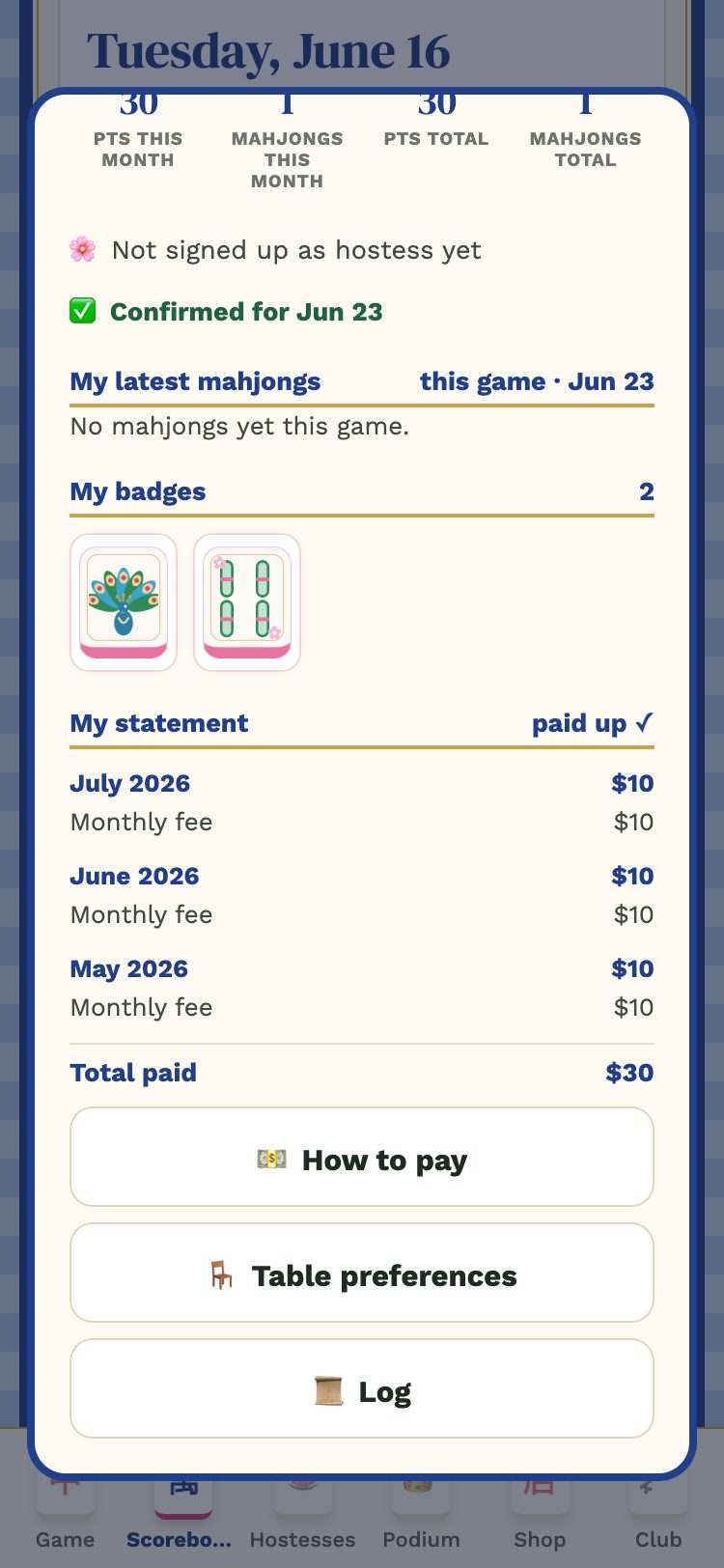
The buttons at the bottom of your card

Scroll to the bottom of your card and you will find three buttons; each one opens its own window.

How to pay: the admin's instructions for paying your fee.

Table preferences: choose who you like sitting with. Tap a name once for "I like sitting with her", twice for "I'd rather not" and three times to clear it; up to 6. Only you and the admin see it.

Log: the changes to your mahjongs and your payment activity from the last 90 days, with who made them and when.

Hall of Fame in the Podium tab
8

Hall of Fame

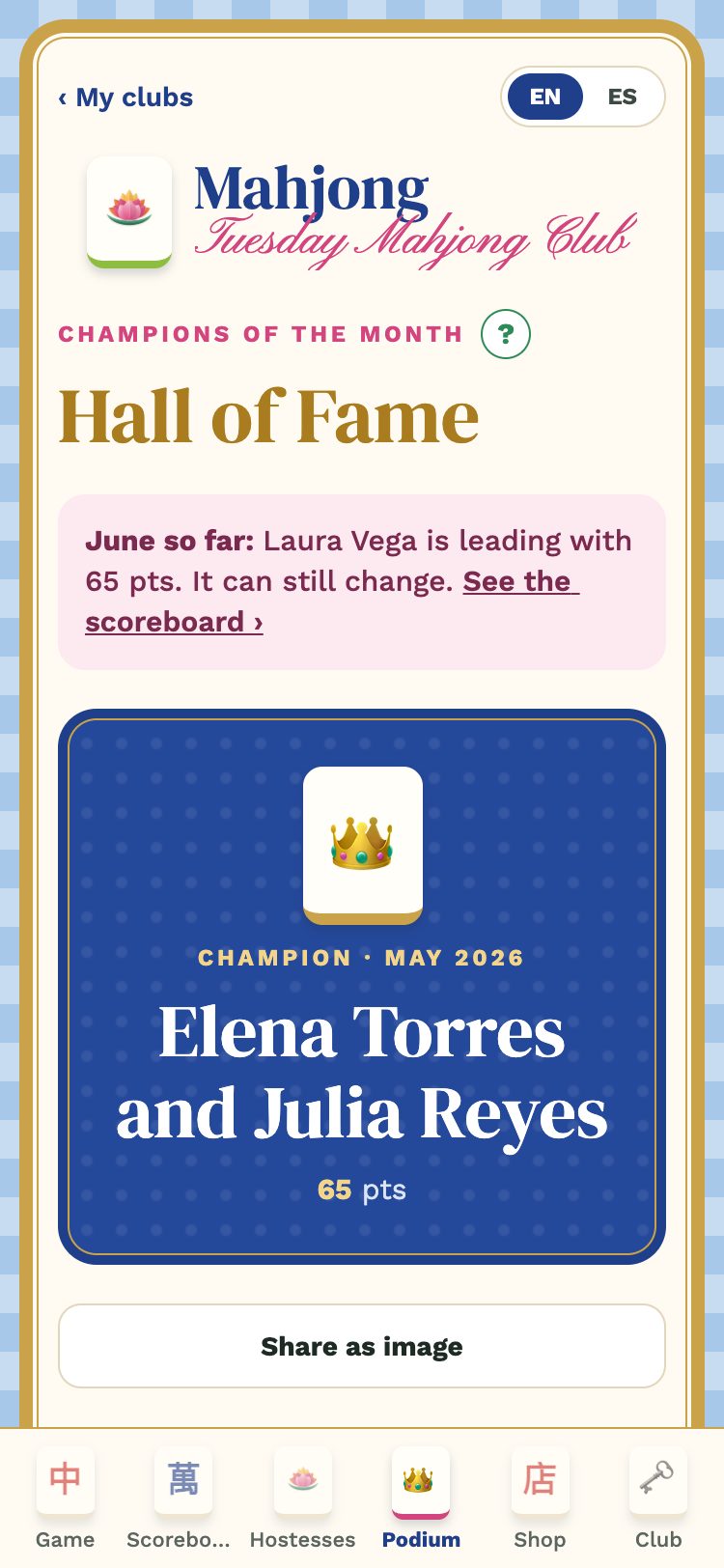
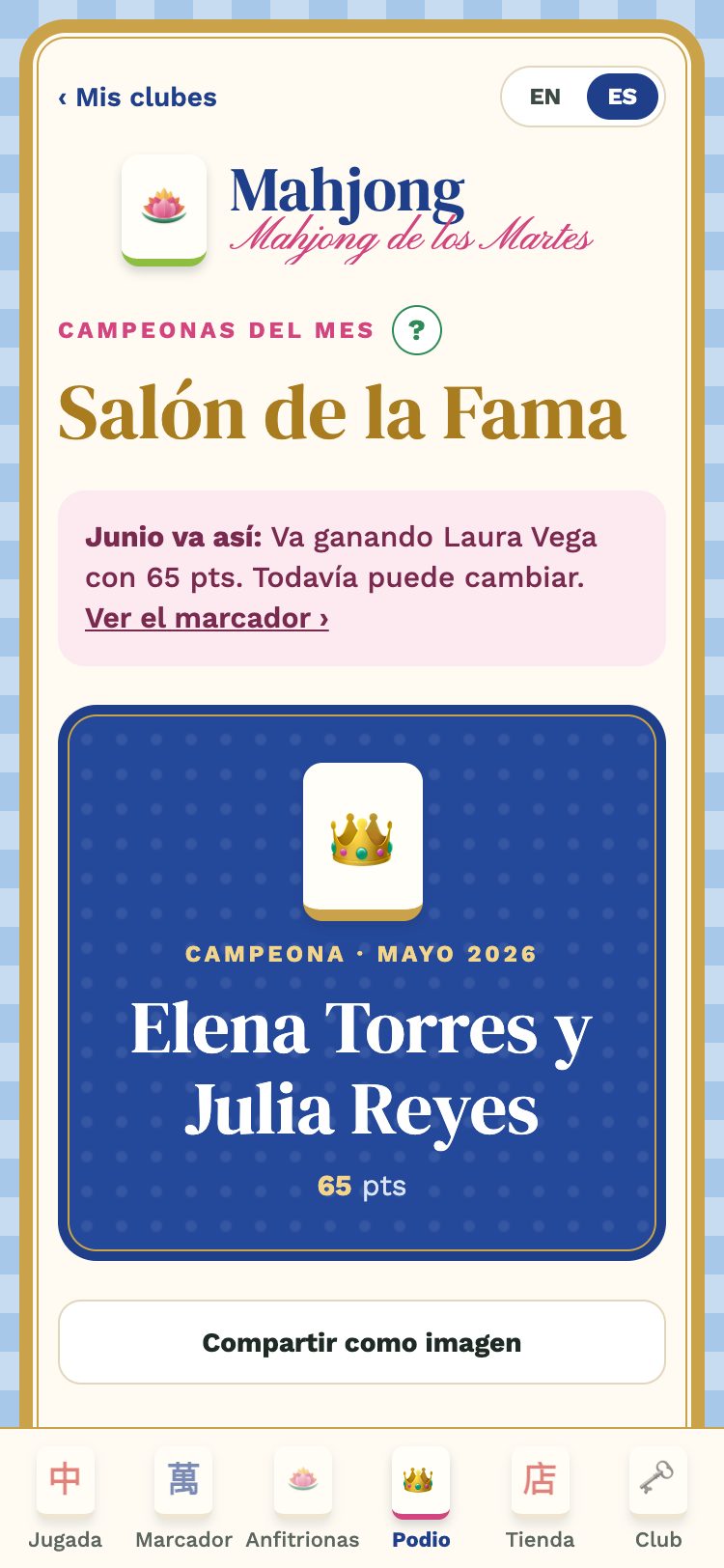
The Podium tab keeps the champions of each month. The champion is crowned right after the month's last game; until then you see who is leading. Below is the history: every mahjong recorded, by night and card line.

With Share as image you send the hall to your group or your social media.

9

Notices and settings

  • Notices: the app tells you about new dates, seats that open up, your table, the day-of reminder, payments, birthdays and news. Keep them on.
  • Language: English | Español at the top of every screen.
  • Large text: in My account, Normal, Large or Extra large.
  • No signal: without reception you see the last copy of the club saved on your phone, and what you do is sent when the signal returns.
Club tab: the invite code and the members
10

The Club tab and the green "?"

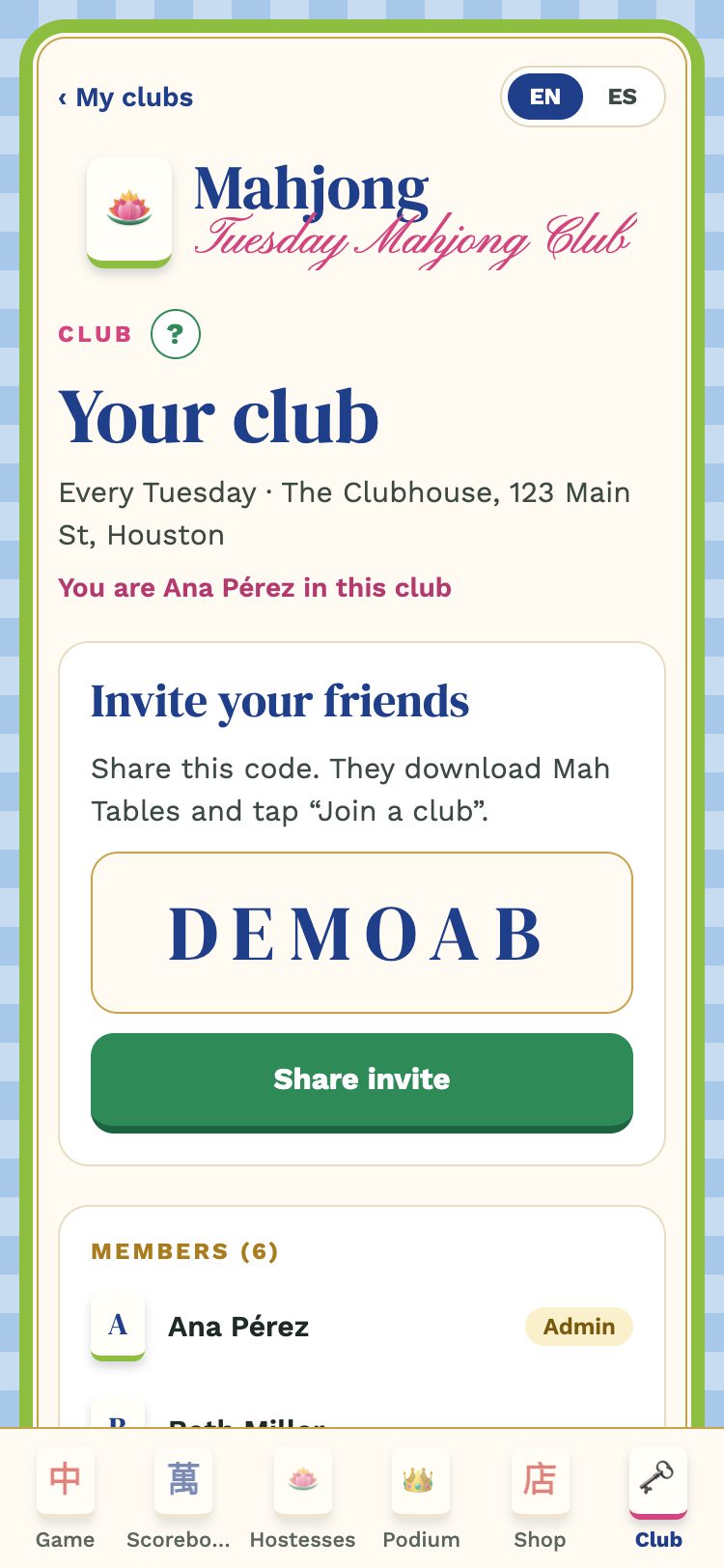
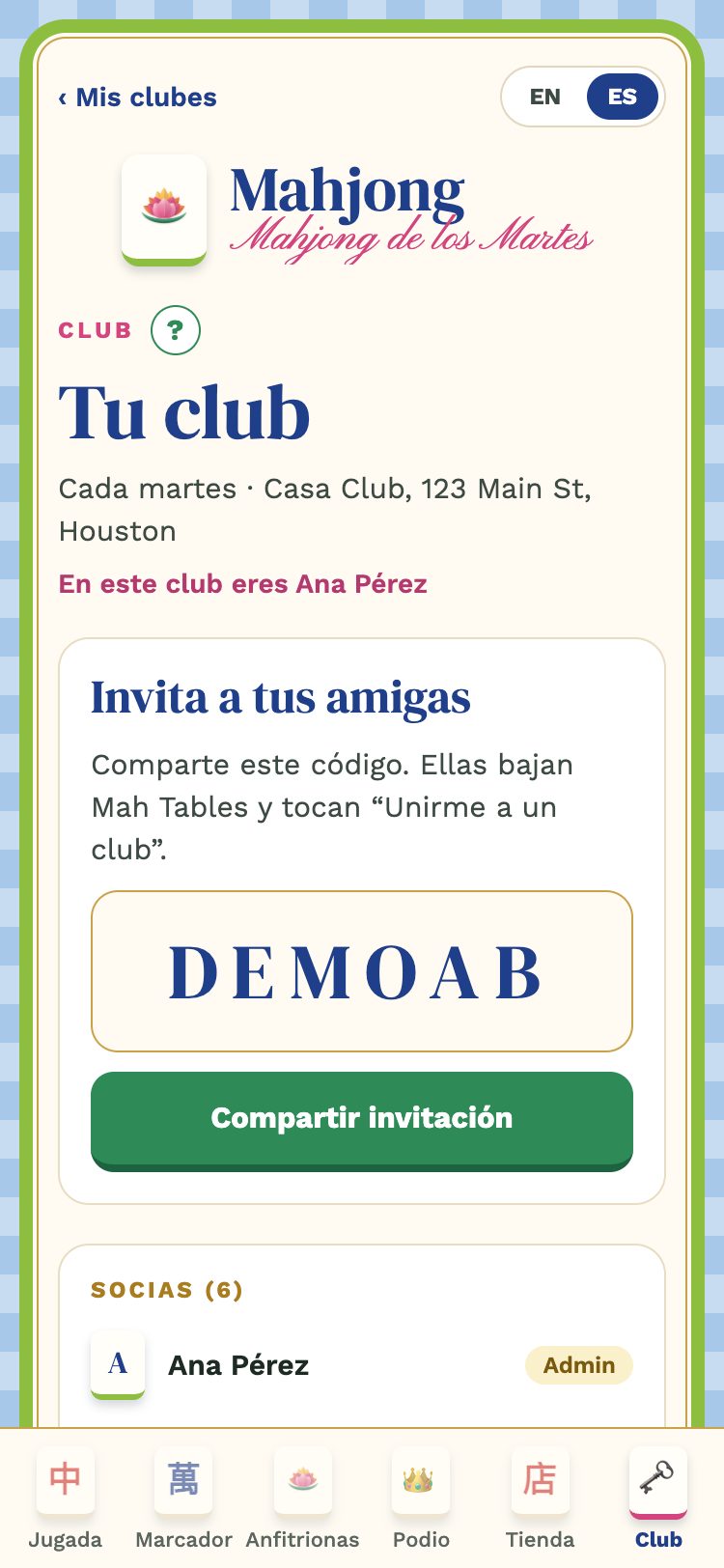
The Club tab shows your club's day and venue, the invite code (so you can invite a friend too) and the list of members. The Player guide button there brings you back to this page.

Every screen has a ? button next to the title. Tap it and a window explains that place.

Questions?

Ask your club admin, or write to support@mahtables.com.

GUÍA · JUGADORA

Guía de la jugadora

Cómo usar Mah Tables en tu club: confirma tu lugar, apúntate de anfitriona, sigue el marcador y tu tarjeta.

La bienvenida la primera vez que entras a tu club
1

Entra a tu club

Baja Mah Tables de la App Store (el mensaje de invitación de tu administradora trae el enlace), toca Unirme a un club, entra con Apple, Google o tu correo (te llega un código de 8 dígitos, sin contraseñas) y escribe el código que te mandó.

Después el app pregunta ¿Quién eres?: elige tu nombre de la lista, una sola vez. Los nombres van con nombre o apodo más apellido, para que nadie se confunda. Si no estás, toca "No estoy en la lista" y te agregas. Una ventana de bienvenida te muestra las cuatro cosas que necesitas saber.

Próxima jugada: anfitriona, sede y tu confirmación
2

Próxima jugada

La primera pestaña, Jugada, es la próxima fecha: el horario, quién es la anfitriona, dónde se juega (con Abrir en Mapas) y Así va la noche, en vivo.

  • Responde a la pregunta ¿Vas el…? con Confirmar asistencia: aparta tu lugar en una mesa. Si ya está lleno quedas en lista de espera y entras sola cuando alguien cancele (te llega un aviso).
  • No puedo esta vez si no vas: así la administradora sabe que ya contestaste. Busco suplente si confirmaste y después no puedes ir.
  • Agregar a mi calendario mete la jugada en el calendario de tu teléfono.
  • Compartir con el grupo abre la hoja de compartir de tu teléfono (Mensajes, WhatsApp, correo…) con el resumen listo.
Toca tu nombre en la mesa (o el botón verde) para cancelar tu confirmación.
Las mesas, la lista de espera y las noticias del club
3

Mesas, noticias y cumpleaños

Más abajo en la misma pantalla: las mesas de la noche con tu lugar, la lista de espera, las noticias del club, los cumpleaños del mes y, si debes una cuota, un recuadro Cómo pagar con las instrucciones de la administradora.

Dos tarjetas te ayudan a arrancar: ¿Primera vez aquí? explica las reglas de tu club en unos pasos, y Para practicar entre jugadas trae formas de practicar sola, de a dos o de a tres.

Lista de anfitrionas por mes
4

Anfitrionas

Cada jugada necesita una anfitriona: quien recibe esa noche. En la pestaña Anfitrionas toca Apuntarme en una fecha libre. Si después no puedes, suelta la fecha para que otra la tome. Arriba ves cuántas ya fueron anfitrionas, las fechas libres y quiénes faltan.

La meta es que todas seamos anfitrionas una vez. En algunos clubes, quien nunca se ha apuntado no compite por el premio del mes.

Marcador del mes con el podio del mes
5

Marcador

El Marcador muestra los puntos del mes de cada jugadora; gana la que más junta y lleva la corona 👑. El fondo de regalos muestra lo que se ha juntado con las cuotas (toca un mes para ver quién ya pagó): paga los regalitos de las jugadas del mes y el premio de fin de mes.

Toca una noche para ver sus resultados, Mes completo para el podio hasta hoy o Todas las jugadoras para la lista completa. Abajo, la encuesta del club y el premio del mes. Con Compartir como imagen mandas el marcador al grupo.

En el podio, las jugadoras empatadas comparten lugar: si dos juntan los mismos puntos llevan la misma medalla, y el siguiente lugar no se salta.

Tu tarjeta
Tu tarjeta
6

Tu tarjeta

Toca tu nombre (en Todas las jugadoras o en las mesas) para abrir tu tarjeta. Arriba está Mis avisos (los que has recibido del club); después, tus puntos y mahjongs del mes y en total, tus fechas de anfitriona y tu estado para la próxima jugada. Más abajo: Mis últimos mahjongs (los que llevas en la jugada en curso), Mis insignias y Mi estado de cuenta, mes por mes. Para cerrar la tarjeta, toca la ✕ de su esquina.

Los tres botones al final de tu tarjeta
7

Los botones al final de tu tarjeta

Baja hasta el final de tu tarjeta y verás tres botones; cada uno abre su propia ventana.

Cómo pagar: las instrucciones de la administradora para pagar tu cuota.

Preferencias de mesa: eliges con quién te gusta sentarte. Toca un nombre una vez para «me gusta sentarme con ella», dos veces para «prefiero que no» y tres para borrar; hasta 6. Solo tú y la administradora lo ven.

Bitácora: los cambios en tus mahjongs y los movimientos de tus pagos de los últimos 90 días, con quién los hizo y cuándo.

Salón de la Fama en la pestaña Podio
8

Salón de la Fama

La pestaña Podio guarda a las campeonas de cada mes. La campeona se corona al terminar la última jugada del mes; mientras tanto ves quién va ganando. Abajo está el historial: cada mahjong anotado, por noche y por línea de la carta.

Con Compartir como imagen mandas el salón al grupo o a tus redes.

9

Avisos y ajustes

  • Avisos: el app te avisa de fechas nuevas, lugares que se liberan, tu mesa, el recordatorio del día, pagos, cumpleaños y noticias. Déjalos encendidos.
  • Idioma: English | Español arriba de cada pantalla.
  • Letra grande: en Mi cuenta, Normal, Grande o Muy grande.
  • Sin señal: si no hay red ves la última copia del club guardada en tu teléfono, y lo que hagas se manda cuando vuelve la señal.
Pestaña Club: el código de invitación y las socias
10

La pestaña Club y los "?" verdes

La pestaña Club muestra el día y la sede de tu club, el código de invitación (para que tú también invites a una amiga) y la lista de socias. Ahí está el botón Guía de la jugadora, que te trae de vuelta a esta página.

En cada pantalla hay un botón ? junto al título. Al tocarlo se abre una ventana que explica ese lugar.

¿Dudas?

Pregúntale a la administradora de tu club o escríbenos a support@mahtables.com.